
SERVICEEDGE TBEST PRO SOLUTIONS
GTFS Pro Apps
GTFS Pro Apps adds three specialized applications for GTFS network alignment, NTD Directional Route Miles, and GTFS stop sign comparison.
Build better networks. Standardize repeatable analysis. Understand service changes faster.
GTFS-OSM Network Alignment • NTD Directional Route Miles • GTFS Stop Sign Change Comparison
Part of ServiceEdge TBEST Pro Solutions
THREE SPECIALIZED APPLICATIONS
One Subscription. Three Specialized Transit Data Workflows.
GTFS Pro Apps is designed for recurring planning and reporting tasks that otherwise require substantial manual GIS processing, file comparison, or network editing. Each application works within the TBEST environment and is delivered through the ServiceEdge TBEST Pro Solutions managed licensing and deployment platform.
PREPARE & VALIDATE
GTFS-OSM Network Alignment
Match GTFS route geometry to OpenStreetMap (OSM) road and rail networks to create more representative planning geometry.
ANALYZE & REPORT
NTD Directional Route Miles
Automate GIS processing and reporting associated with directional route mileage and overlapping transit alignments.
COMPARE & DEPLOY
GTFS Service Change Comparison
Compare two GTFS service datasets to identify changes in stop usage and determine where bus stop signage may require action.
GTFS-OSM NETWORK ALIGNMENT
Turn GTFS Geometry Into a Planning-Ready Transit Network.
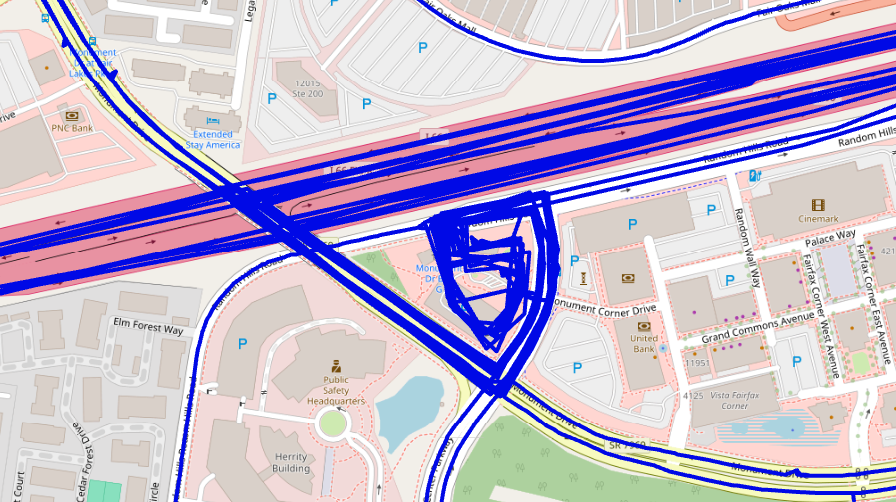
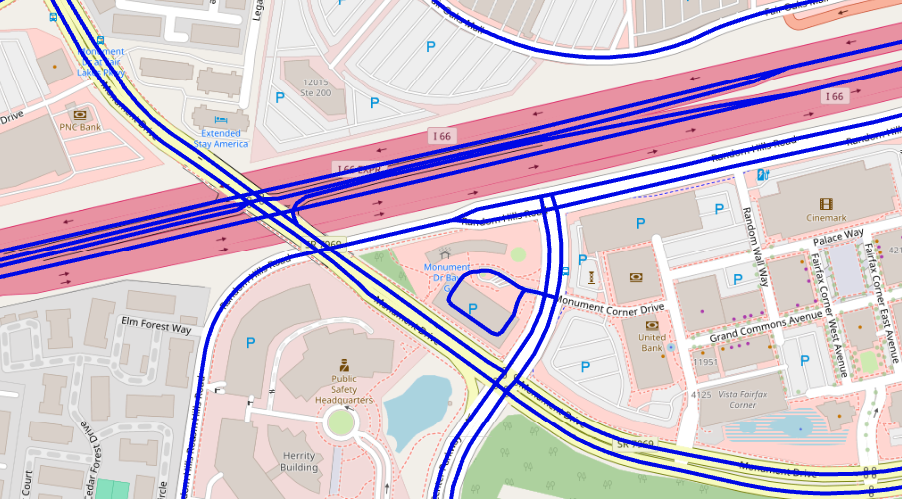
GTFS shapes are designed to describe scheduled service, but they are not always sufficiently detailed or spatially accurate for GIS-based planning and map production.
The GTFS-OSM Alignment Matching updates GTFS route alignments to OpenStreetMap roadway and rail geometry so planners can create a more representative network without extensive manual editing.
- Match bus alignments to roadway geometry
- Match rail service to rail network geometry
- Reduce manual GIS editing
- Improve consistency across route networks
- Produce cleaner geometry for mapping and analysis
- Supports editing GTFS alignments and stops within ArcGIS Pro. Edits made in Pro are saved back to the GTFS
- Modifiable Networking Parameters to fit matching algorithm to local GTFS alignment issues
- Export Results and share with other GTFS Pro Apps users
REVIEW THE RESULTS
Document Alignment Quality and Exceptions.
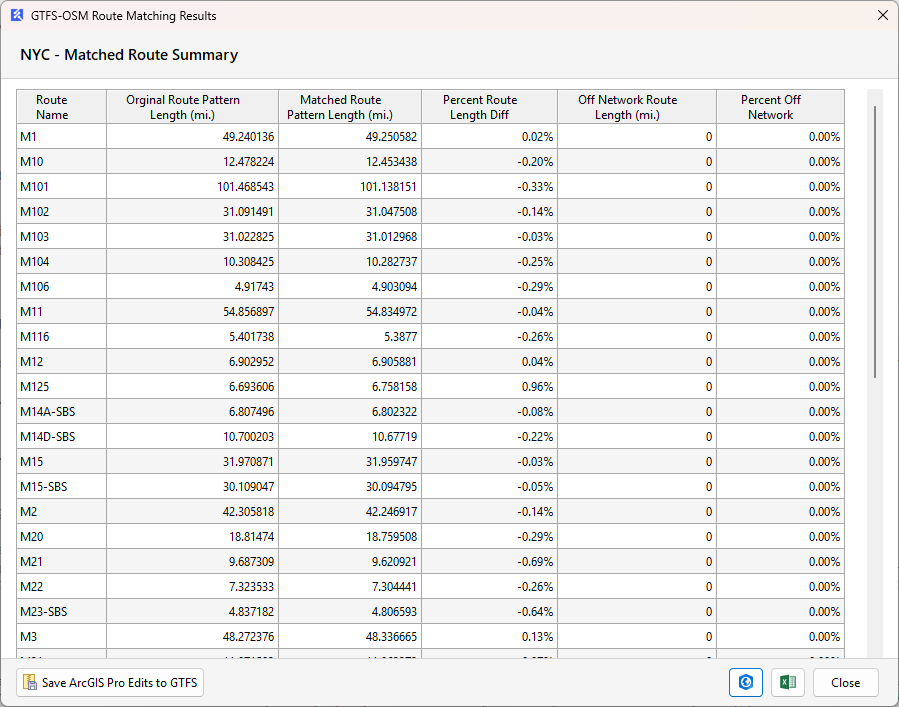
Alignment processing is most useful when planners can review where geometry was matched successfully and where network conditions require additional attention.
GTFS Pro Apps reporting helps support a repeatable QA/QC workflow so corrected transit geometry can be reviewed before it is used for mapping or downstream analysis.
NTD DIRECTIONAL ROUTE MILES
Standardize a Complex GIS Calculation.
Directional Route Miles analysis becomes increasingly difficult when routes overlap, share common alignments, branch, or operate differently by direction.
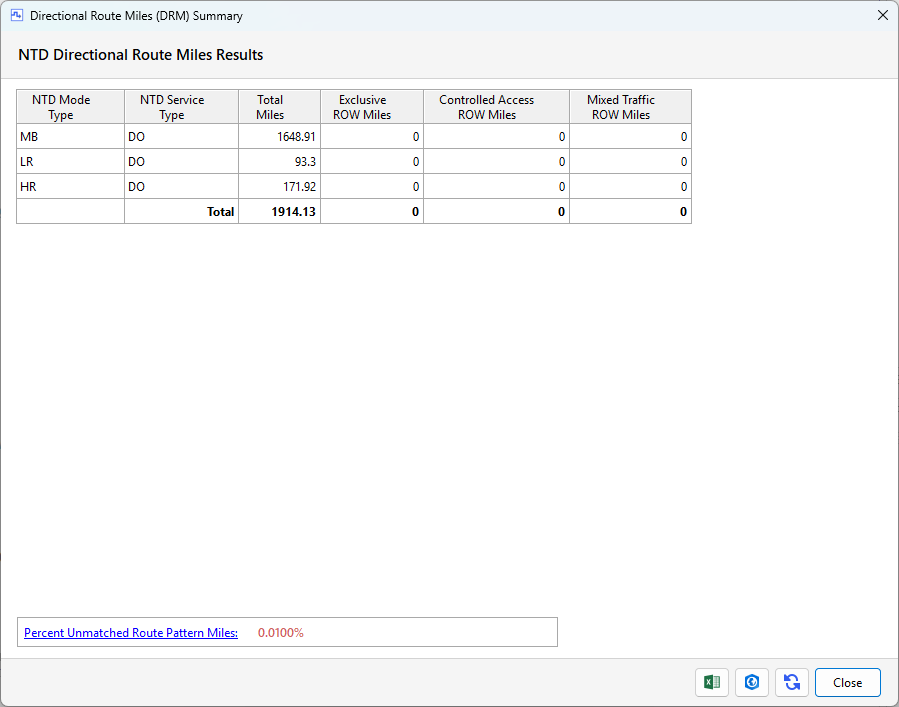
GTFS Pro Apps automates the spatial processing used to support NTD Directional Route Miles calculations and reporting.
- Reduce repetitive GIS processing
- Account for overlapping route alignments
- Create a repeatable annual workflow
- Standardize calculations across service changes
- Produce reviewable reporting results
- Results ready for NTD Reporting
- Edit turn lane and ROW segments in ArcGIS Pro
- Export Results and share with other GTFS Pro Apps users
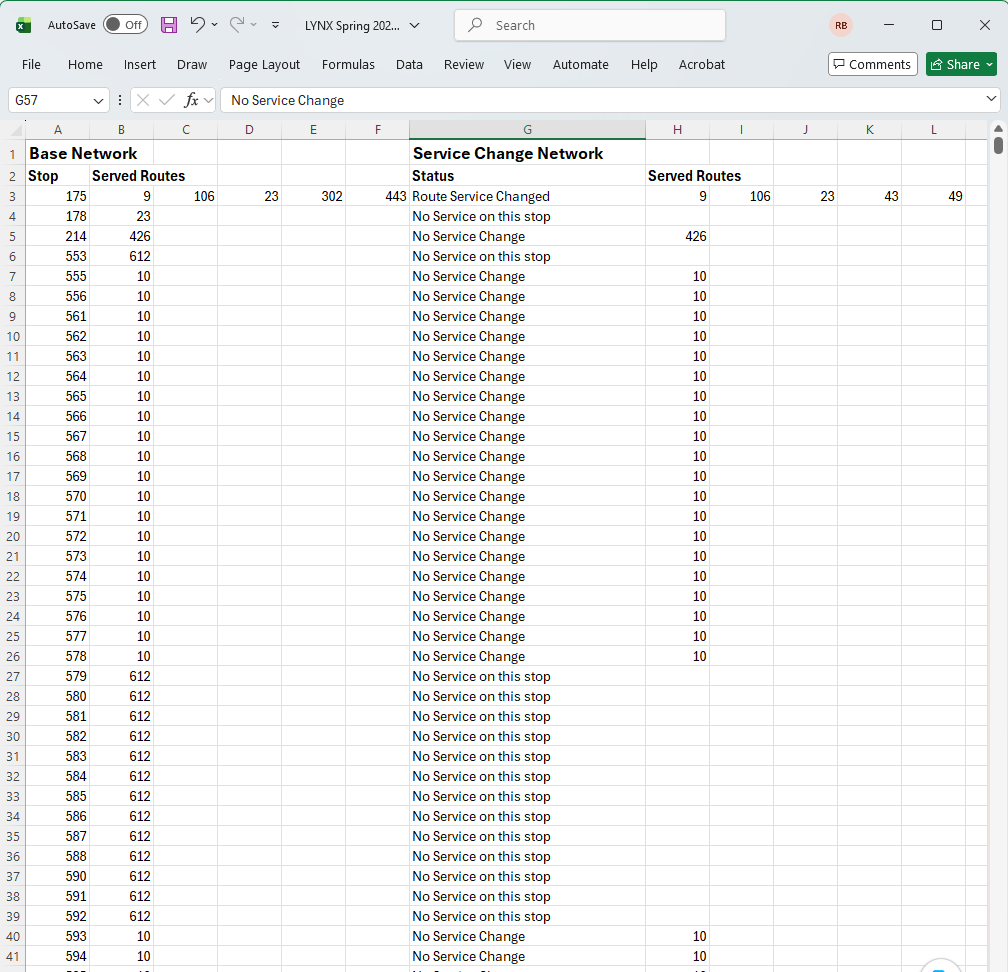
GTFS SERVICE CHANGE COMPARISON
Know Which Stops Changed Before the New Service Reaches the Street.
GTFS Pro Apps compare existing and proposed GTFS datasets to identify physical bus stop locations where route access changes between service periods.
The comparison supports planning for stop-sign and field changes by identifying locations that may require:
- New signage
- Sign removal
- Sign updates
- Field verification
- Additional service-change review
This helps connect digital service planning with the physical passenger environment.
A REPEATABLE WORKFLOW
Designed for Ongoing Agency Use.
GTFS Pro Apps is designed to become part of recurring planning, service-change, GIS, and reporting workflows rather than a one-time analysis.
1. Load
Use your agency GTFS and TBEST transit system as the starting point.
2. Process
Run the appropriate GTFS Pro application using a standardized workflow.
3. Review
Inspect map, report, and comparison outputs before accepting the results.
4. Apply
Use the results in planning, reporting, network development, or field implementation.
WHERE SERVICEEDGE TBEST PRO SOLUTIONS FIT
Useful Across Planning, GIS, NTD and Service Operations.
Transit Planning
Prepare more accurate route networks and support repeatable analysis for service-planning projects.
GIS & Data Management
Reduce manual geometry editing and standardize recurring transit-data processing.
NTD Reporting
Support Directional Route Miles analysis with a repeatable spatial-processing workflow.
Service Changes
Compare GTFS service periods and identify stop locations affected by route-access changes.
Consulting Projects
Apply the same standardized workflows across defined client projects and licensed service areas.
TBEST Workflows
Keep specialized GTFS analysis within the same planning environment used for TBEST data and models.
AGENCY SUBSCRIPTION
GTFS Pro Apps
The standard GTFS Pro Apps subscription includes all three applications:
- GTFS Network Alignment
- NTD Directional Route Miles
- GTFS Service Change Comparison
- Managed deployment and product updates
- Standard technical support allowance
Individual tool subscriptions may also be available. Agency subscriptions are licensed to the organization and its defined Licensed Service Area.
FLEXIBLE FOR DIFFERENT ORGANIZATIONS
Agency, Regional and Consultant Licensing.
ServiceEdge TBEST Pro licensing can be structured for:
- Transit agencies
- Metropolitan Planning Organizations
- Departments of Transportation
- Transportation consultants
- Regional and multi-agency deployments
Consultants can use project-specific or portfolio licensing when working across multiple client service areas.
EXPAND YOUR TBEST PLANNING ENVIRONMENT
Add Models, Data and Professional Services as Needed.
RIDERSHIP ESTIMATION
Metro Pro
Add enhanced TBEST ridership-estimation sensitivity for local bus, BRT, rail, and multimodal transit networks.
OPTIONAL DATA SUBSCRIPTION
Transit Pro Data
Add optional client-specific transit and socioeconomic data downloads through a separate annual subscription.
PROFESSIONAL SERVICES
Support & Consulting
Supplement the software with TBEST, GIS, GTFS, NTD, ridership-modeling, and custom-development expertise.
SEE SERVICEEDGE TBEST PRO SOLUTIONS IN YOUR ENVIRONMENT
Use Your GTFS. Use Your Service Area. See the Actual Workflow.
A GTFS Pro Apps demonstration can be configured around your transit system, GTFS data, and planning environment so your team can evaluate the applications against familiar workflows.